BF Smart Cylinder: The Ultimate Keyless Security Solution
**The Simpled BF Smart Cylinder, designed for uPVC and aluminium bi-fold doors, combines security, style, and convenience.
**
Original HubSpot URL: https://learn.simpled.uk/bf-smart-cylinder
What's Included?
2x Proxy Fobs
1x Phone Tag (Sticker)
2x Emergency Keys
Smart Cylinder
Suction Cup
Battery Model CR123A (Alkaline)
Tool
Manual
Key Features
Tailored Design: Slim, durable, and perfect for bi-fold doors.
Multiple Access Options: The device can be unlocked with dual fingerprint scanners, a PINooth app, proximity tags, or a keypad, and a Bluet emergency key.
Smart Power Backup: Low battery alerts and USB emergency charging ensure continuous operation.
Unlimited User Management: Add guests securely via a password-protected account.
Easy Installation: It fits door thicknesses of 50mm to 105mm with minimal effort. See below for installation steps.
Specifications
Item Name | Smart cylinder lock |
Model | BF-SPS |
Colour | Black/Silver |
Material | Aluminum alloy/Brass |
Unlock Mode | Mechanical key /Fingerprint /IC card(NFC)/ App |
App | TTLock |
Support System | Android 4.3/iOS 7.0 Above |
Waterproof Level | IP5X(Dust and Splash Proof) |
Emergency Power | 1xMicro Type-C Charging Port |
Accepted Door Thickness | 40 -70 mm * |
Power Source | 1XCR123A(Alkaline) |
Working Temperature | -20ºC ~ 70ºC |
Working Humidity | 20~93%RH (no condensation) |
Reader Dimension | 42x42mm |
Why Choose the BF Smart Cylinder?
No more keys or waiting at the door—grant access instantly.
Protects against scratches and wear caused by traditional keys.
Perfect for families and modern homeowners seeking style and security.
Installation
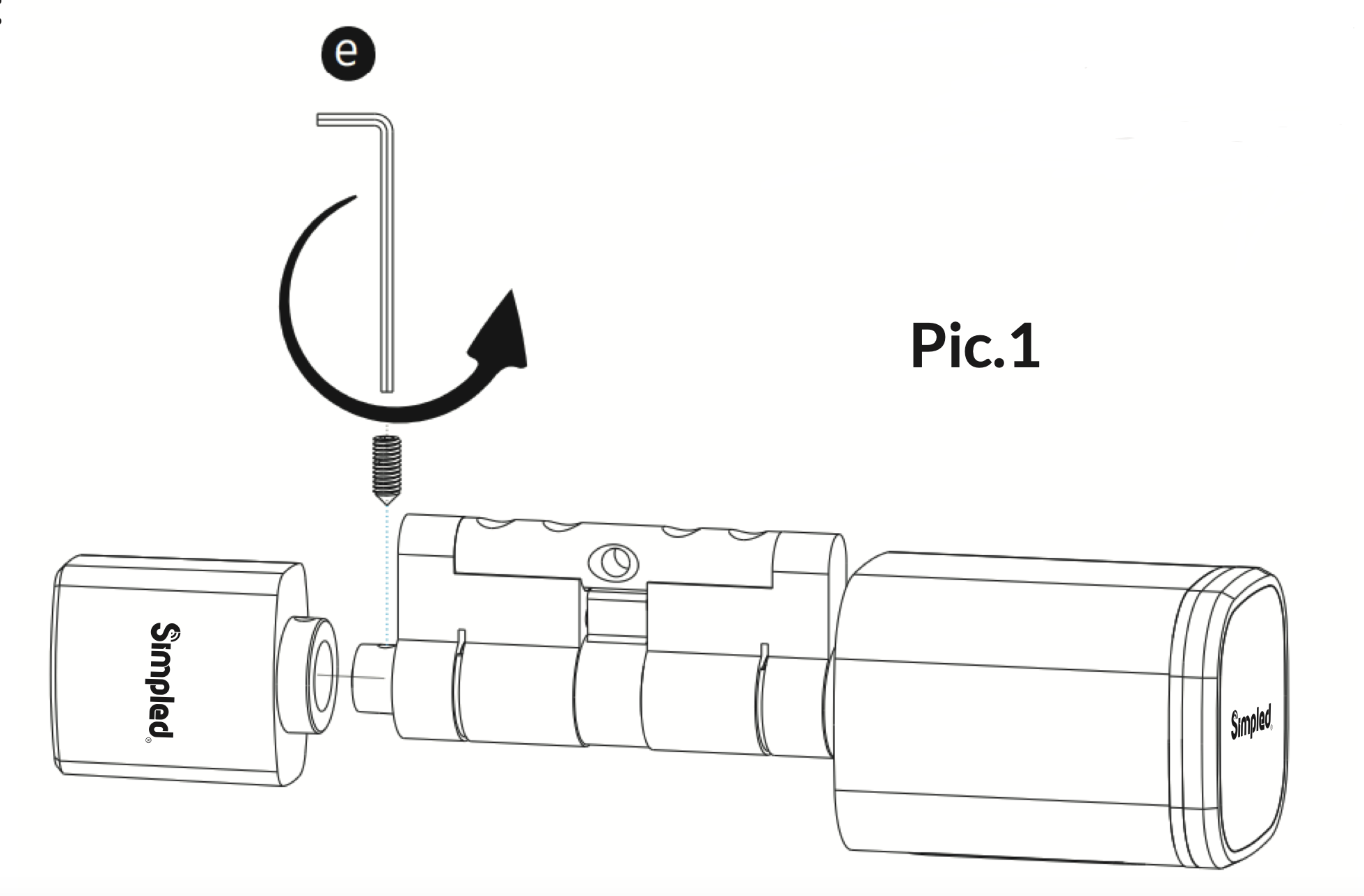
Step 1: Use the screwdriver to remove the screw on the back knob position. Refer to the diagrams below for guidance.
Screenshot 2024-11-22 at 09.21.29
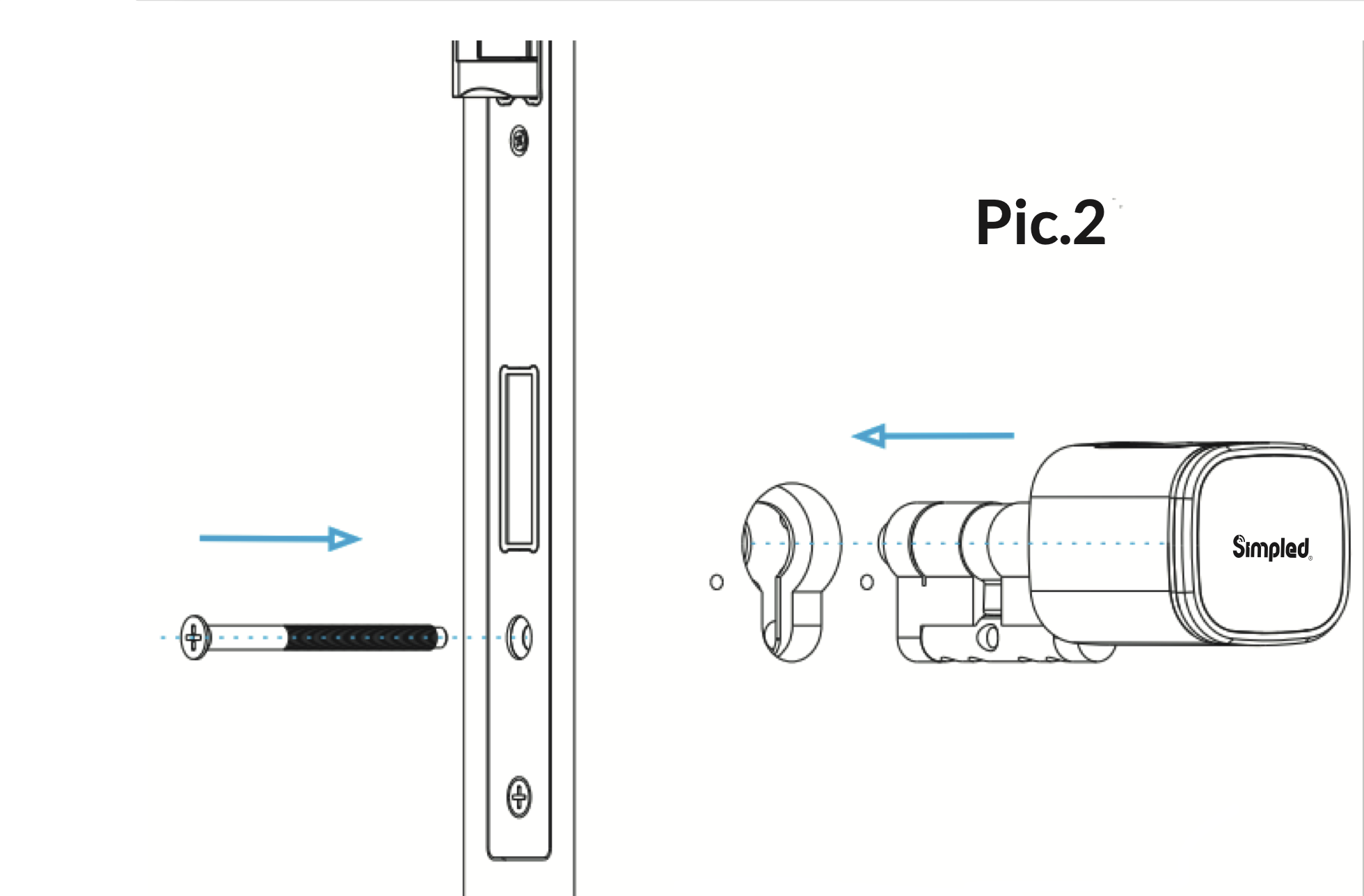
Step 2: Insert the cylinder into the existing lock and secure it using the long screw.
C5
Screenshot 2024-11-22 at 09.24.05
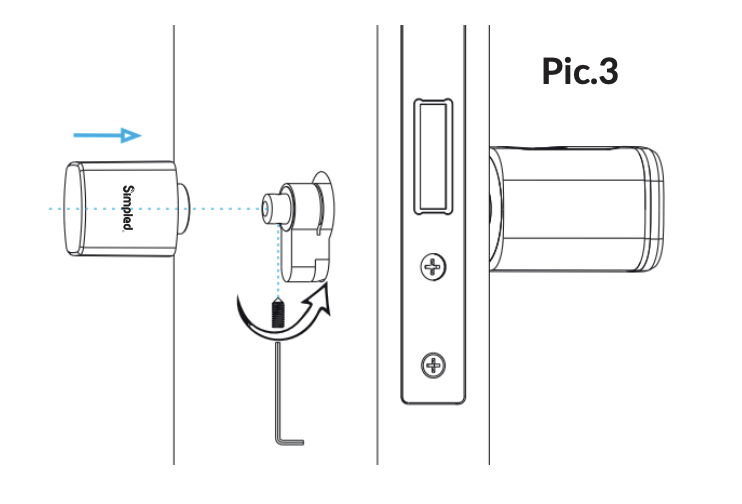
Step 3: Use the screwdriver to fasten the screw on the back knob position. Refer to the diagrams below.
Screenshot 2024-11-21 at 10.23.00
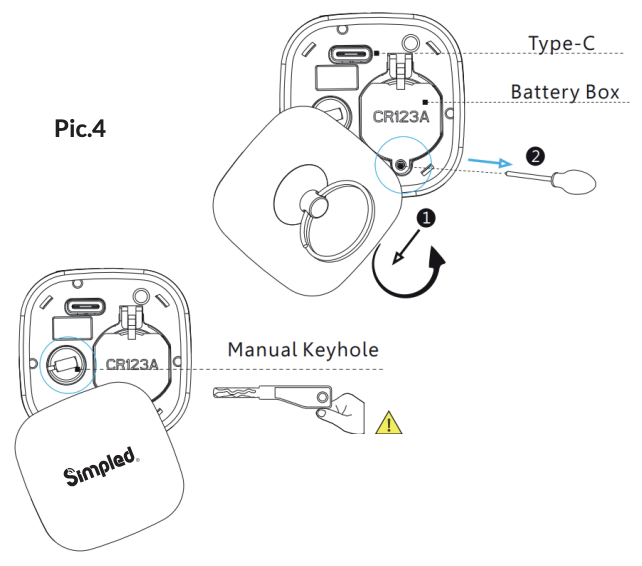
Step 4: Remove the reader cover using the magnet or suction cup (included in the accessories bag), and insert 1x CR123A alkaline battery.
Screenshot 2024-11-22 at 13.24.02
After inserting the key into the keyhole and turning it clockwise, you must turn the reader to unlock the door. Do not use the key to directly unlock the door.
Step 5: Test the lock with your fingerprint. Under factory settings, any fingerprint will unlock the door.
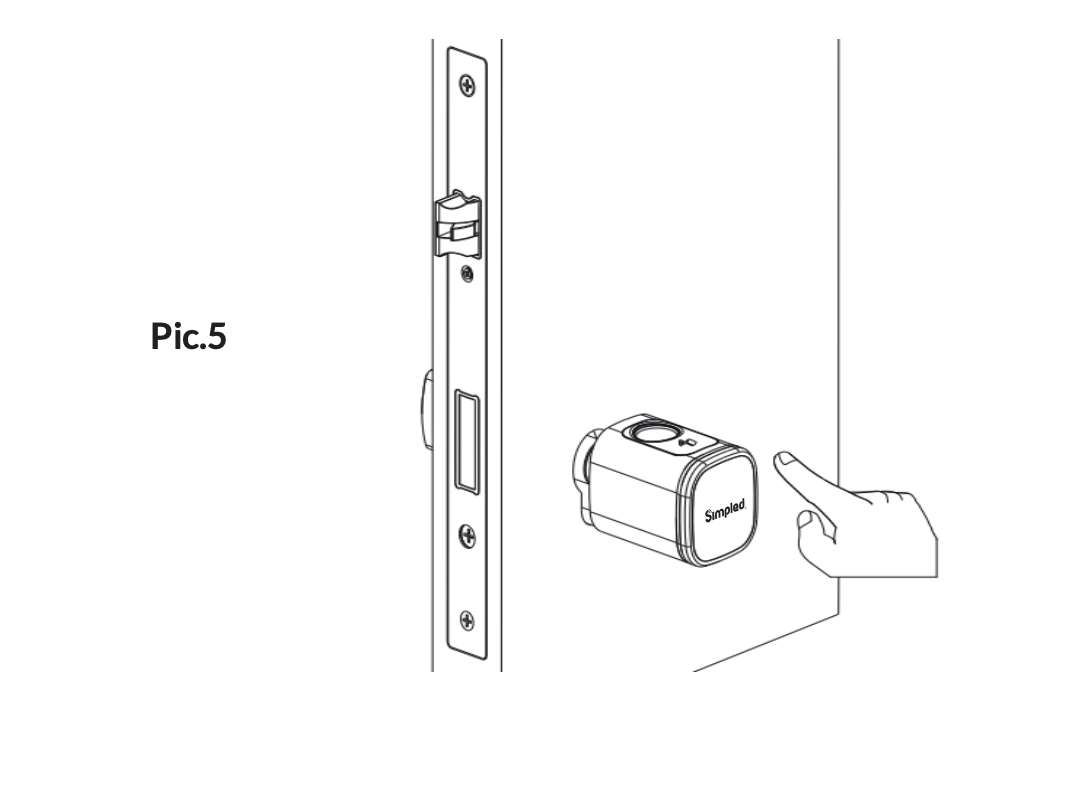
Screenshot 2024-11-21 at 10.23.26
Step 6: Test the lock with the TTLock app using a key card after configuring it. For detailed instructions, refer to the app section ‘Add Fobs/Tags/Stickers’. For Further insight click here to view a short installation video or Contact us Today!
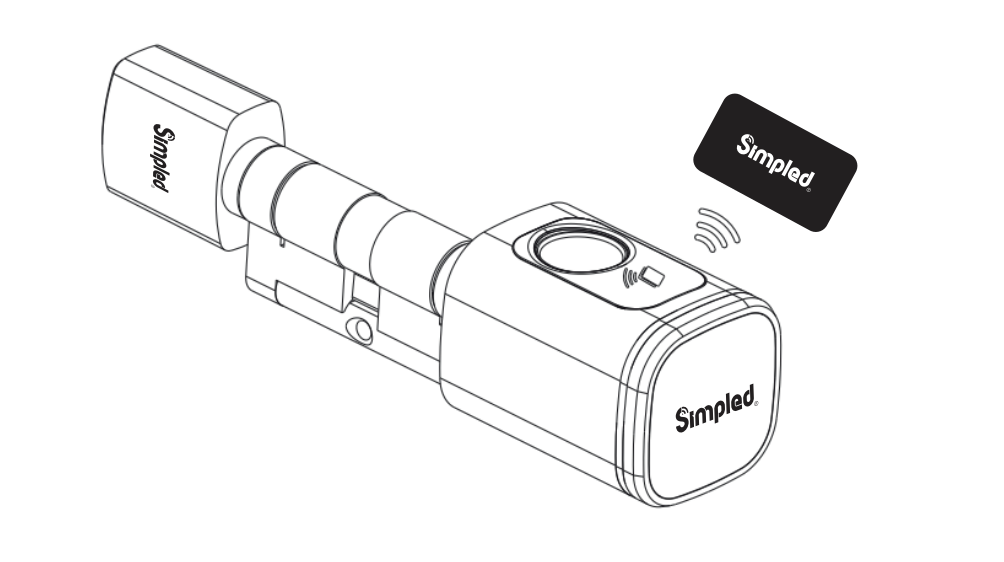
Screenshot 2024-11-21 at 10.23.41