Creating a Customer Specific Coupon (WooCommerce)
Create a unique, trackable coupon for one customer.
Original HubSpot URL: https://learn.simpled.uk/creating-a-customer-specific-coupon-woocommerce
Caution
All coupons must be shared in our Quotes / Coupon Telegram group with Hashtag #Coupon, using the following format:
Coupon Code - Expiry Date - Reason for Coupon - #Coupon
Example: SK-Huberman - 25/01/2026 - Wrong discount applied previously - #Coupon
In WooCommerce, go to Marketing and then open the Coupons tab.
1) Coupon Naming Standard (Mandatory)

Use this format:
Tip
[UserInitials]-[CustomerName]
Examples:
SK-Huberman
SK-Huberman2 (if another Huberman coupon is needed later)
Initials reference:
SK = Steve Kerr
SA = Shaden Alizadeh
2) Add the Reason (Mandatory)
Always write the reason clearly in the coupon notes/description.
Examples:
Missed campaign deal
Wrong discount applied previously
3) Expiry Date (Mandatory)
Set the coupon expiry to 1 to 2 days only.
Reason: creates urgency and reduces confusion or old coupons being reused later.
4) Usage Restrictions (Mandatory Settings)
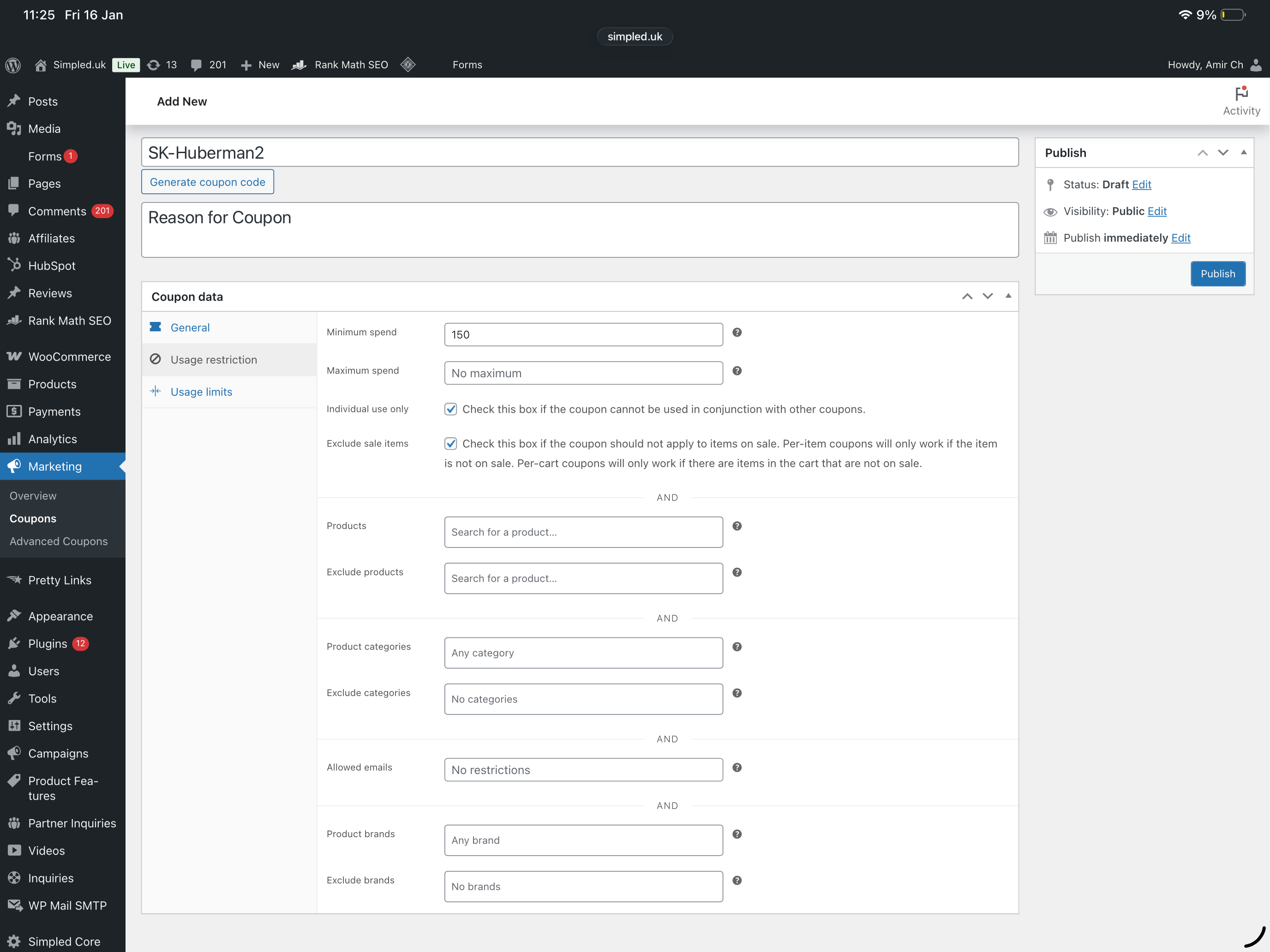
In Usage restriction tab:
Set Minimum spend (must be filled)
Tick Individual use only (prevents using with other coupons)
Tick Exclude sale items (coupon will not apply to discounted items)
5) Usage Limits (Mandatory Settings)
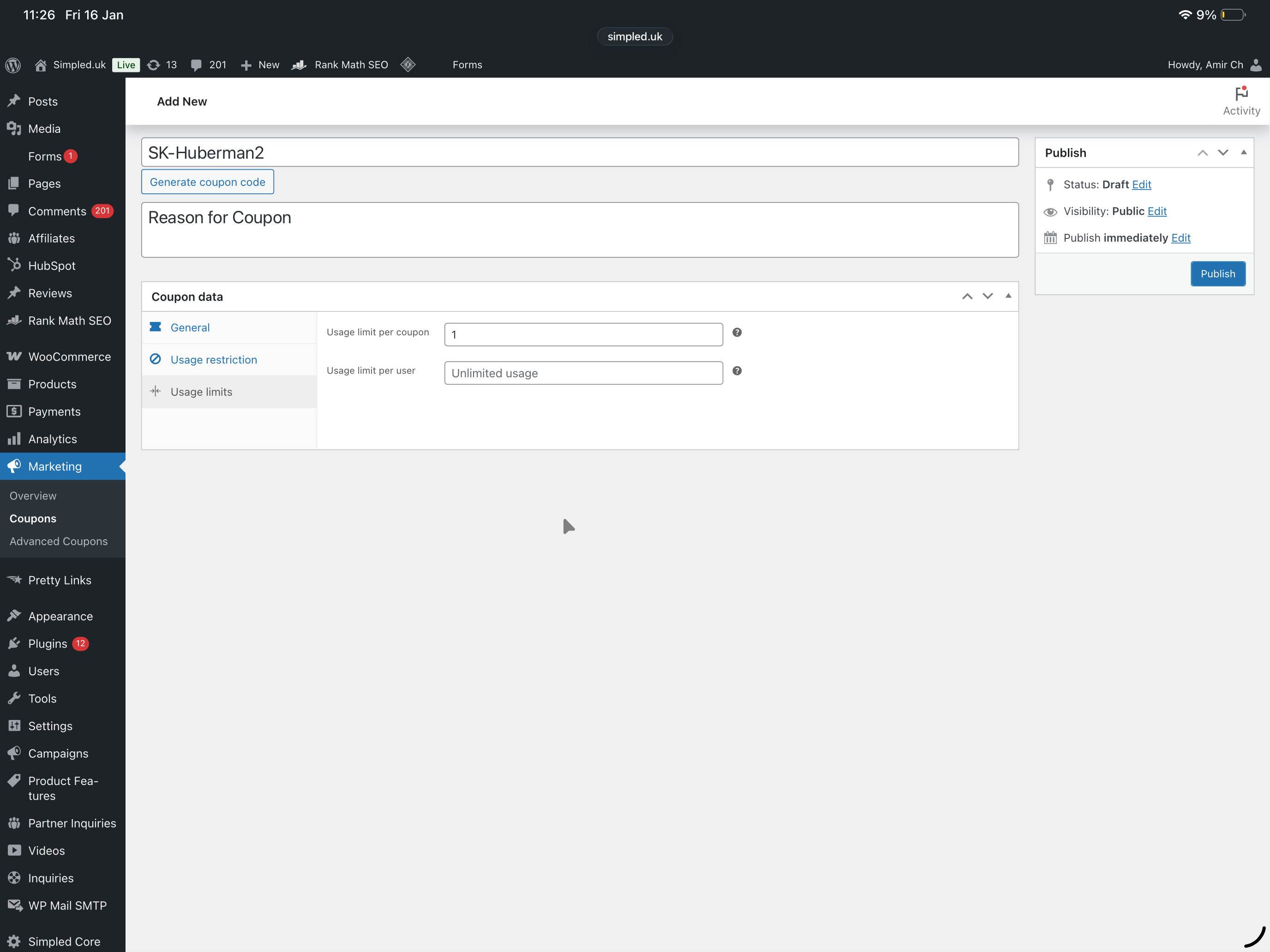
In Usage limits tab:
Set Usage limit per coupon to 1