How to Change the Batteries on Your Keypad
Original HubSpot URL: https://learn.simpled.uk/how-to-change-the-batteries-on-your-keypad
If your keypad is running low on battery, you will need to remove the front panel to replace them.
Follow these steps carefully to avoid damaging the unit.
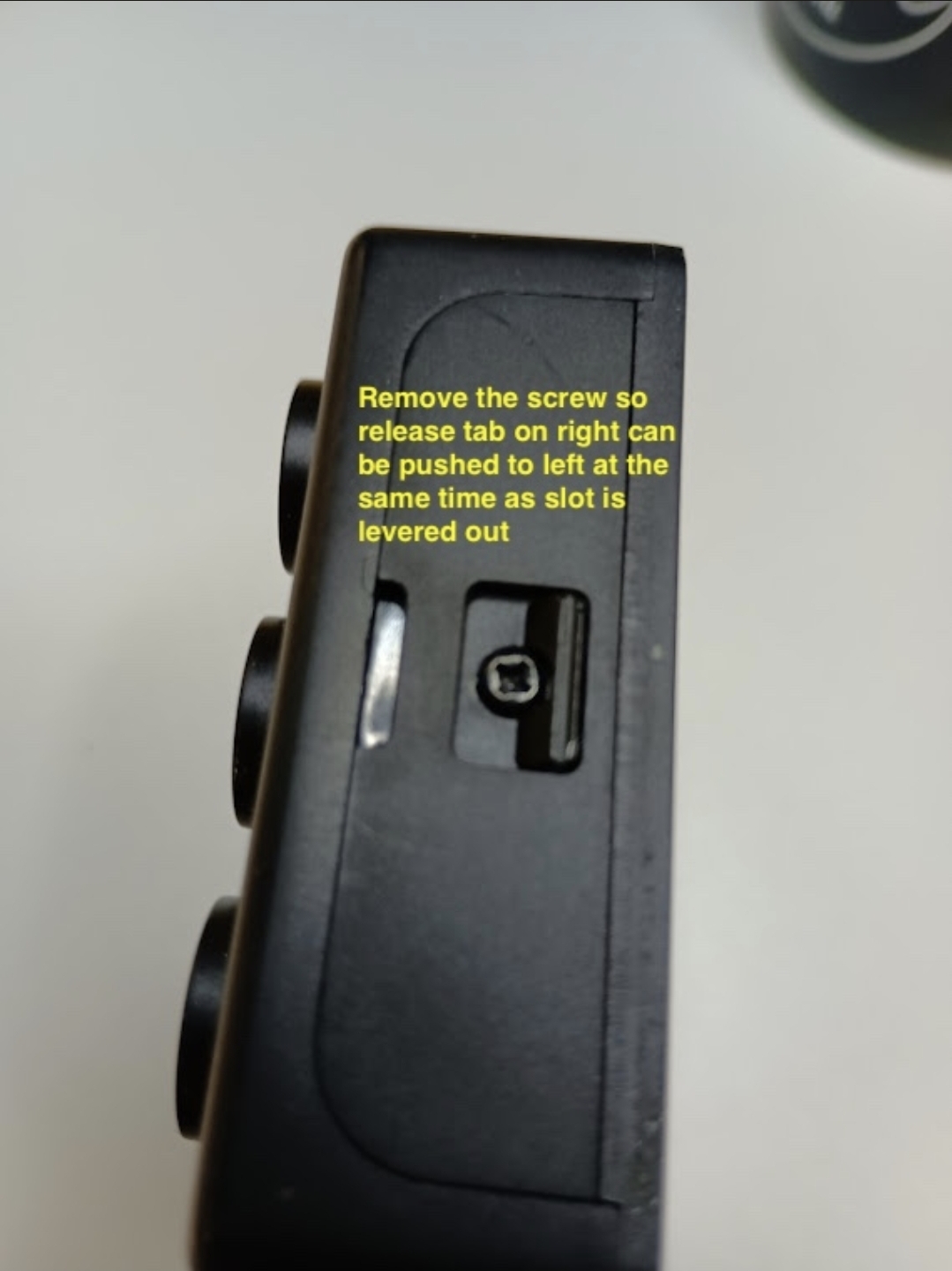
Step 1 – Remove the Fixing Screw
Locate the small screw on the keypad.
Unscrew it fully and keep it safe
This screw holds the keypad cover in place
Screenshot_20260401_111823_Notion
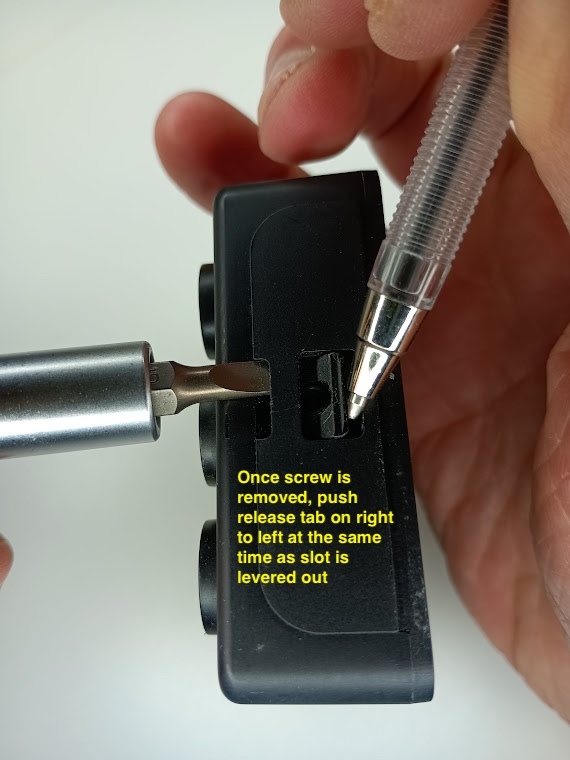
Step 2 – Release the Keypad Cover
Once the screw is removed:
Find the release tab on the right-hand side
Push the tab to the left
At the same time, use a flat tool (or your fingers if possible) to gently lever the slot open
Note
Important:
You must do both actions at the same time
If you only pull without pushing the tab, the cover will not come off
Do not use excessive force
KA_Keypad_-_Battery_Replacement_2
Step 3 – Remove the Cover
Once the tab is released, the keypad cover will come away
Carefully lift it off to access the batteries
Step 4 – Replace the Batteries
Remove the old batteries
Insert the new batteries, making sure the + and – polarity is correct
Step 5 – Reassemble the Keypad
Place the cover back into position
Press it firmly until it clicks into place
Reinsert and tighten the screw
Common Mistakes to Avoid
❌ Trying to pull the cover off without pressing the release tab
❌ Forgetting to remove the screw first
❌ Using too much force and damaging the casing
❌ Inserting batteries the wrong way