New DFF-SP manual and data specs
You can find the manual and data specs of the Double-Sided smart lock (DFF-SP) below
Original HubSpot URL: https://learn.simpled.uk/new-dff-sp-manual-and-data-specs-1
Product Overview:
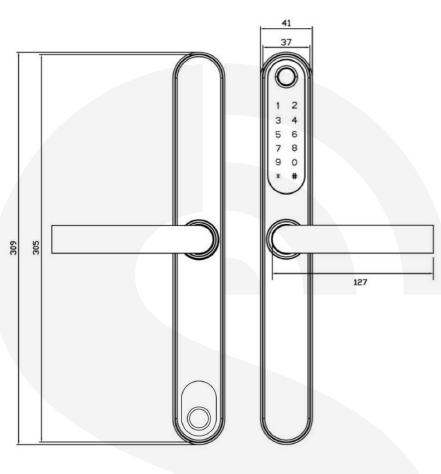
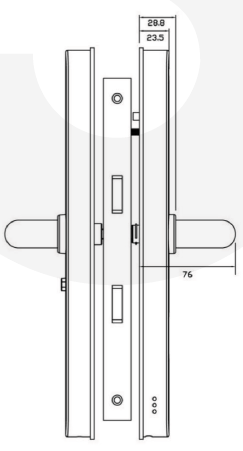
What's included:
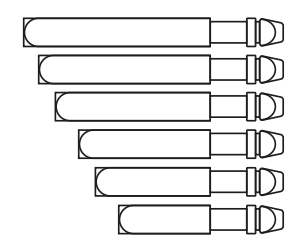
1x Spindle 45 mm
1x Spindle 50 mm
1x Spindle 55 mm
1x Spindle 60 mm
1x Spindle 65 mm
1x Spindle 70 mm
1x U-Clip

2x Screw stub (35x8)
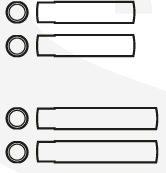
2x Screw stub (40x8)
2x Sliding Screws

4x Mortise Screws, 10x5 mm
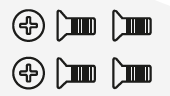
(for Aluminum Door)
5x Mortise Screws, 10X5 mm
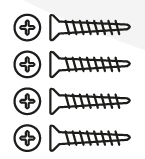
(for Wooden Door)
2x M5x30 mm Screw
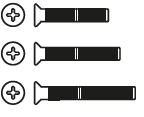
2x M5x40 mm Screw
2x M5x50 mm Screw
1x Phone Tag (Sticker)

Screenshot 2025-01-07 at 16.24.44-1
2x Proxy Fobs
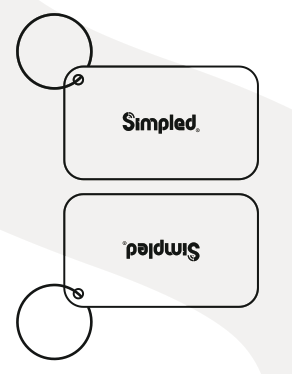
Screenshot 2025-01-07 at 16.24.54
2x Emergency Key
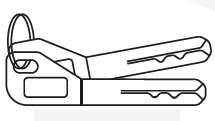
image-png-Jan-09-2025-04-24-03-2389-PM
4x Lithium Battery 1.5v
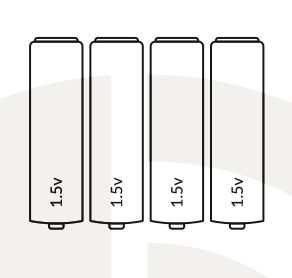
Screenshot 2025-01-07 at 16.25.02
2x Rubber Gasket
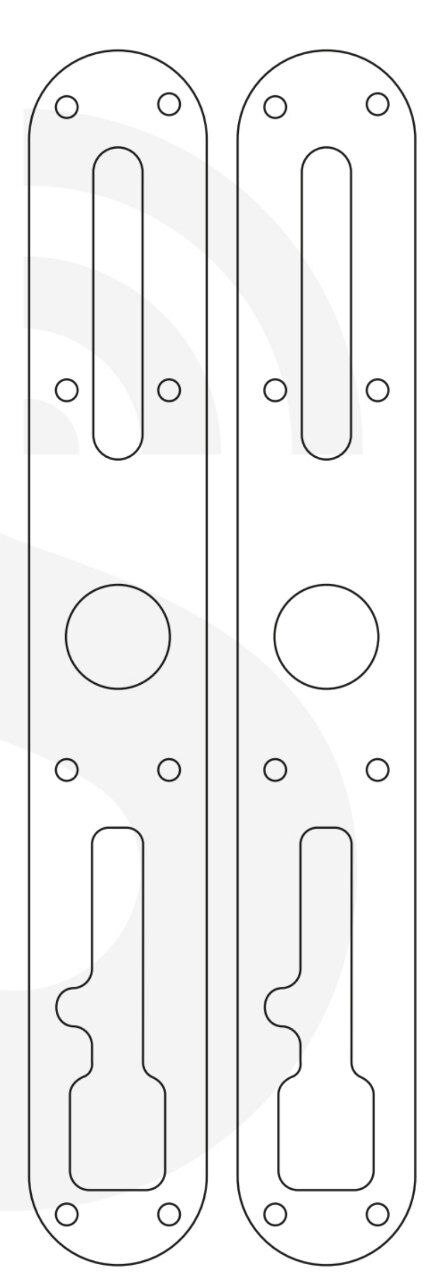
photo_5866254362706298271_y
Ways to unlock from outside:
App, Fingerprint, Passcode, Card, Keys, Remote Controller
Ways to unlock from inside:
App, Fingerprint, Card, Remote Controller
Specification:
Model | DFF-SP |
Materials | Handle: Stainless Steel 304 Panel: Stainless Steel 304 |
Weight | 2 Kg |
Unlocking methods | Smart Phone Apple Watch Fingerprint Passcode Proxy Fob / Phone Tag Emergency Key Alexa (needs gateway) Google Home (needs gateway) |
Colour | Black and Silver |
Low battery alarm | Less than 4.8 v |
Doors Applicable | Aluminum Door Wooden Door UPVC Door |
Working voltage | 6V/4 x AA Batteries “Do not use rechargeable AA batteries. Use high quality alkaline or Energizer Ultimate Lithium only.” |
Door Thickness | 40-70 mm (For more, you need Longer spindle and Screws) |
Data capacity | Inside panel: Fingerprint: 100 RFID Cards (Fobs/Stickerrs): 200 Remote Control: 6 Outside panel: Fingerprint: 100 RFID Cards (Fobs/Stickerrs): 200 Custom Passcode: 150 Auto-generated passcodes: Unlimited eKeys: Unlimited Remote Control: 6 |
Working temperature | -10°C-55°C |
Weatherproof outside panel | Yes |
System initialisation:
Resetting the front panel: Open the panel cover by turning the screw clockwise with a screwdriver, pressing the reset button for 5 seconds and pressing "000#" on the keypad.
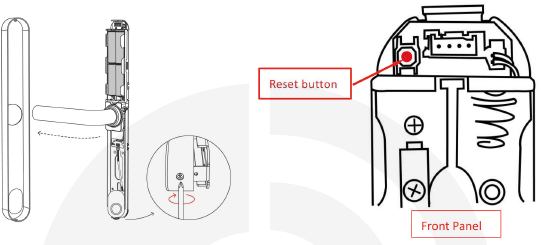
Resetting the front panel: Open the panel cover by turning the screw clockwise with a screwdriver, pressing the reset button next to the fingerprint sensor and it until you hear the beep sound from the lock.
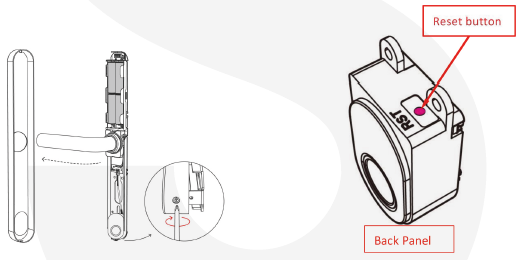
**Notice:**The passcodes, fingerprints etc., will not be working after the reset. and the initial passcode would be "123456#".
Changing the direction of the handle
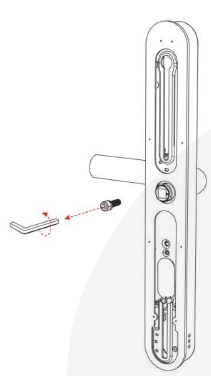
Loosen the screw at the back of the panel.
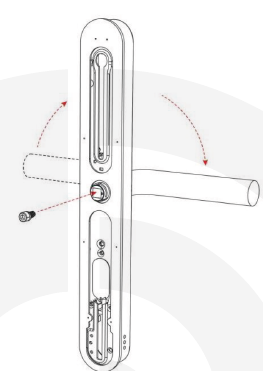
Change the direction of the handle
After adjusting the handle, tighten the screw to the handle.
Repeat the same steps for the other panel.
Compatibility test:
One test to see if the new lock is compatible with your existing
multipoint locks is to check if it can fully retract the hooks and bolts on
your multipoint mechanism.
Step 1:
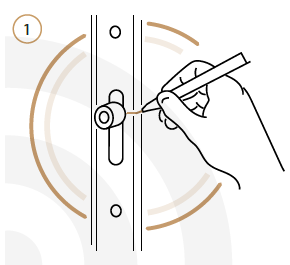
Mark the current position of all bolts/hooks on your existing multipoint lock.
Step 2:
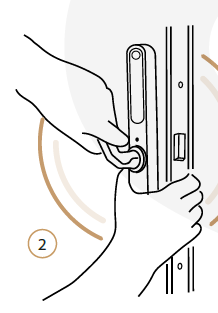
From the inside:
Locate the internal lock body on the spindle.
Align the lock with the door and hold it firmly.
Lift the handle fully to throw
Step 3:
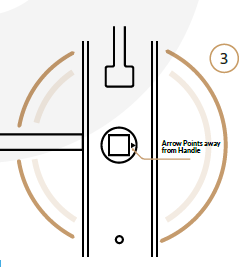
Take the front body(fingerprint handle) and turn the spindle receptor so that the
arrow POINTS AWAY from the handle. — "It's the opposite of what is suggested
on the lock! We do this only for the test
part!"
Step 4:
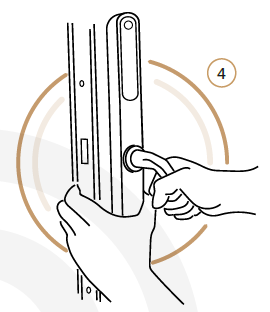
From the outside:
Locate the front body on the spindle.
Align the lock with the door and hold it firmly.
Push the handle fully downward to retract the bolts.
Step 5:
Now, check if all bolts and hooks have fully retracted to the marked position. We passed this test if bolts don't prevent you from closing the door!
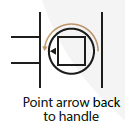
Tip: You can now return the spindle receptor so that it POINTS TOWARDS the handle.
Installation:
Step 1: Installing the sliding screw casing and the spindle
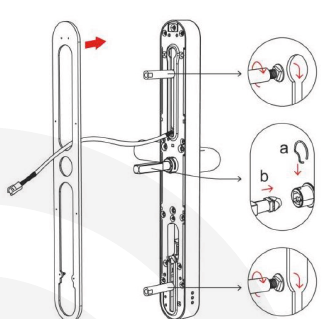
Select suitable sliding screw studs for installation
according to the thickness of the doorInstall the square shaft. The arrow is in the
same direction as the handleInstall the weatherproof rubber plates
Step 2: Installing the front panel
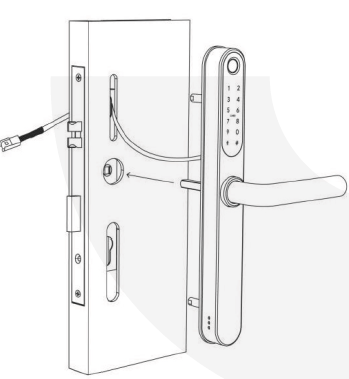
Thread the power cord, studs and square shaft through the door hole and secure to the door.
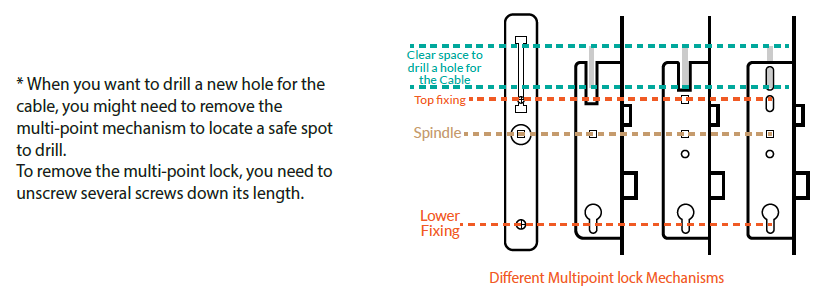
Step 3: Installing the back panel
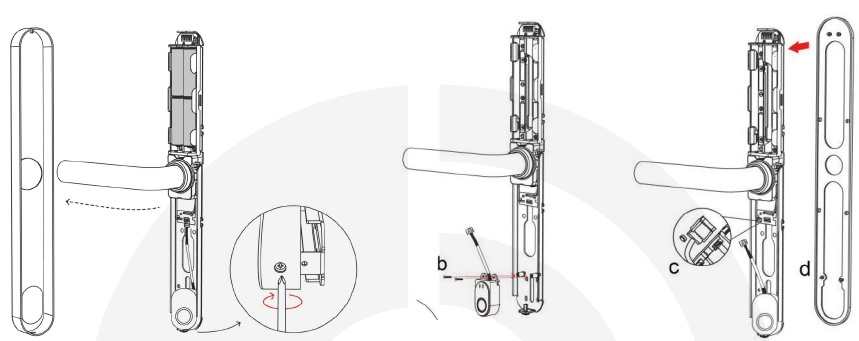
Open the back panel cover by tightening the bottom screw clockwise with a screwdriver
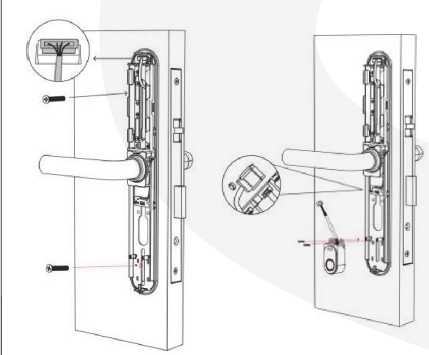
Loosen the screw, remove the fingerprint component
Install the waterproof rubber plate to the back panel
Select screws that t the thickness of the door to secure the front and back panels
Connect the front power cable to the back panel
Install the fingerprint component
Step 4: Inserting the batteries
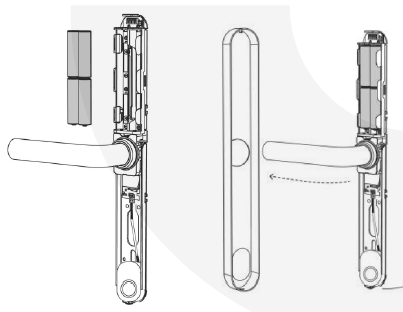
Insert the batteries.
Turn the screw at the bottom of the lock counterclockwise to secure the panel
Tips:
Lift the handle to engage the deadbolts/hooks and then pull the handle down to disengage. The internal handle should always open the door.
TEST: Try pulling the outer handle down. It should move but do nothing. Then insert the keys and turn. Try lifting the handle and then pull it down. This time the latch/hooks should retract.
Note: Simpled Smart Lock comes with an auto-lock feature. It means the spindle doesn't engage from the outside
when pushing the handle downward unless you gain access with a fingerprint, passcode, etc.
In multi-point locks, the bolts/deadbolts/hooks will engage when you lift the handles. Otherwise, the door may
only be held on one latch. So it's always recommended to lift the handles to engage the multi-points.
Don't use chemicals for cleaning as it may affect the guarantee. A soft,
damp cloth is best for gently cleaning without scratching the surface.
To install the app, please use the link provided below:
https://kb2.simpled.uk/doc/simpled-app-manual-ZpkL0mkcrY