Step-by-Step Guide for Using the Simpled Remote Controller (TA-SP)
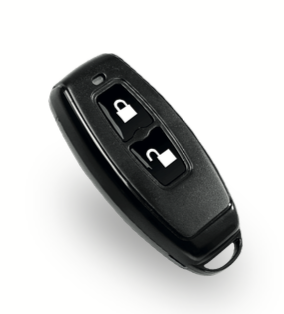
The Simpled TA-SP Remote Controller provides a convenient way to lock and unlock smart locks remotely. This guide details its specifications, installation, usage, and troubleshooting.
Original HubSpot URL: https://learn.simpled.uk/step-by-step-guide-for-using-the-simpled-remote-controller-ta-sp
2. Specifications
Model: TA-SP
Dimensions: 60.6mm x 29mm x 11.7mm
Material: Plastic
Frequency: 2.4GHz
Power Supply: CR2032 battery
Voltage: 3V
Operation Capacity: >10,000 uses
Idle Current: <2µA
Screenshot 2025-01-06 at 16.09.00
3. Button and Light Functions
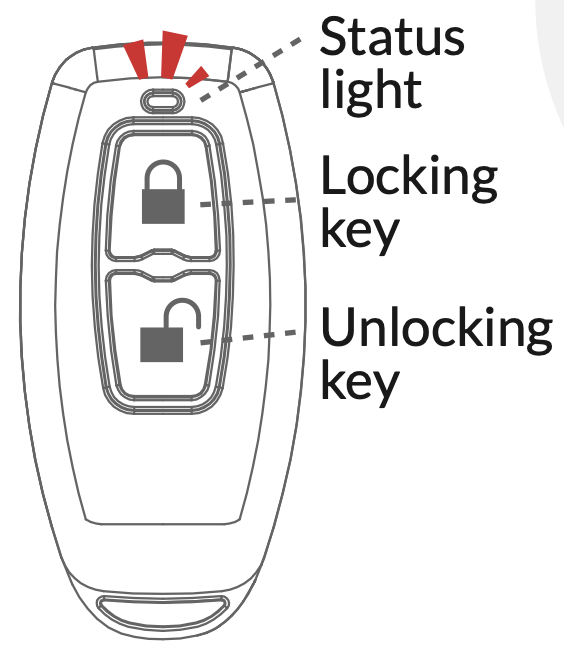
Unlocking Key: Press to unlock; the status light flickers.
Locking Key: Press to lock; the status light flickers.
Low Battery Alert: Status light flickers slowly during locking/unlocking operations.
Screenshot 2025-01-06 at 16.10.36
4. Adding the Remote to a Lock
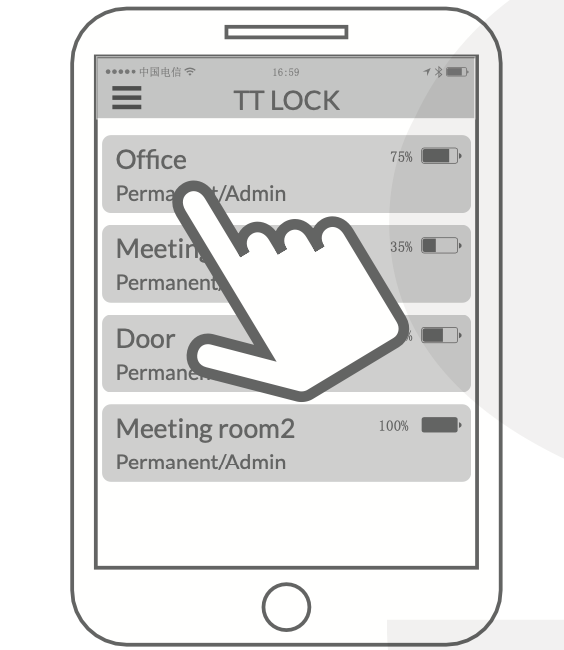
Activate the App:
Open the Simpled app on your smartphone and select the lock you want to pair the remote with.
Screenshot 2025-01-06 at 16.12.09
Add the Remote in the App:
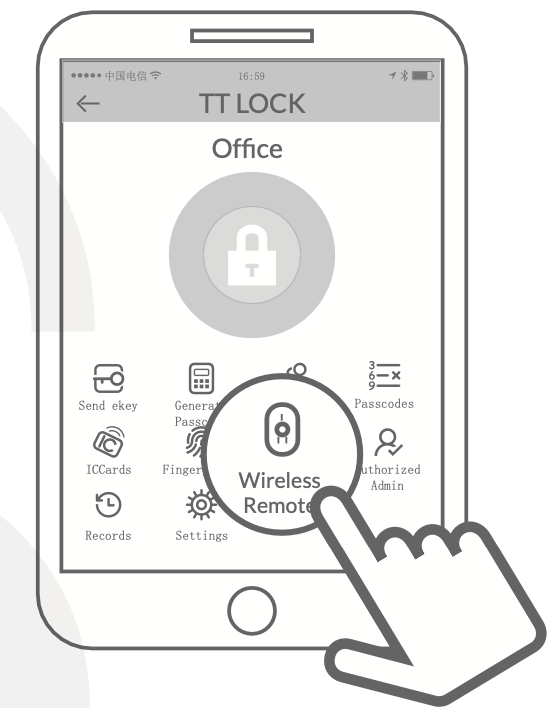
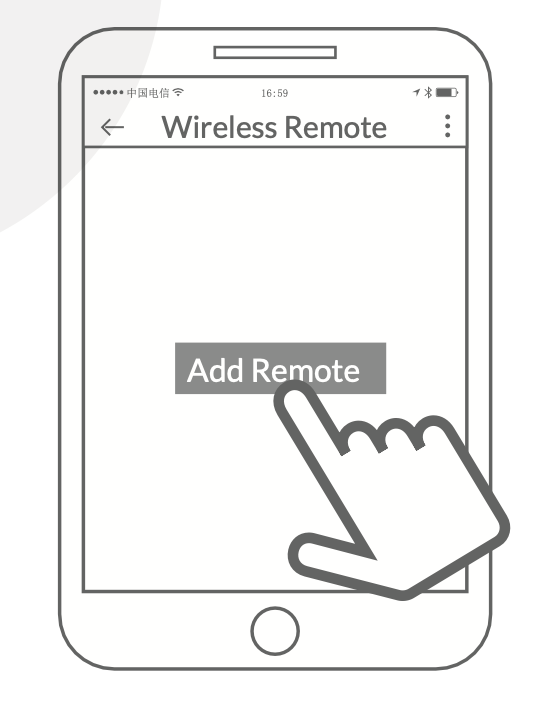
In the app, navigate to
Settings → Wireless Remote → Add Remote.
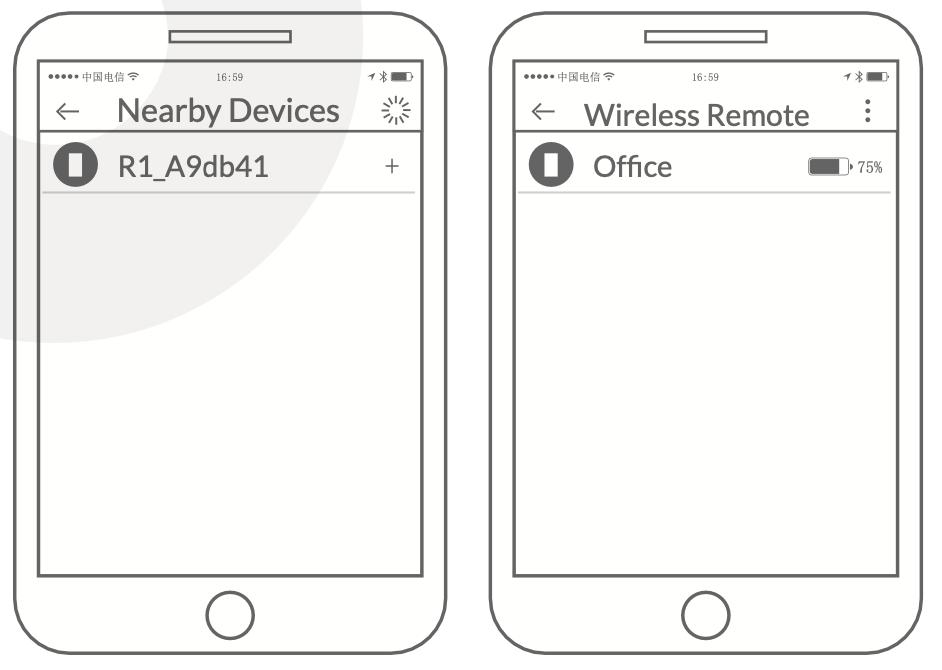
Select the device with a
+ icon and follow the prompts
Screenshot 2025-01-06 at 16.12.23
Screenshot 2025-01-06 at 16.12.28
Name and Assign Timeframe:
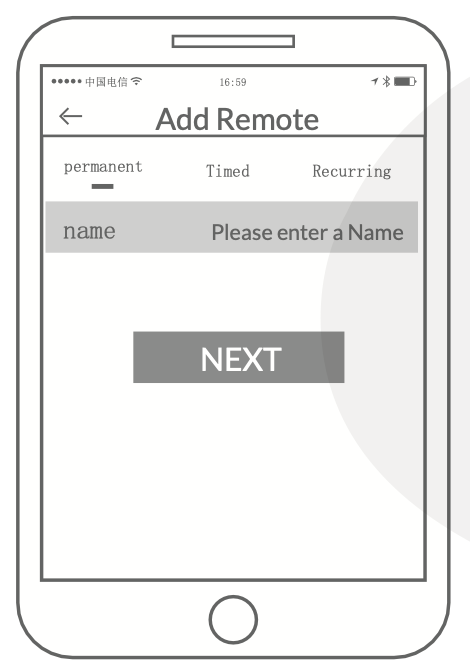
Assign a name to the remote and select a time frame (e.g., permanent, timed, recurring).
Press
Next to complete the process.
Screenshot 2025-01-06 at 16.24.43
Screenshot 2025-01-06 at 16.24.17
Press the device that has a "+" icon to complete
Screenshot 2025-01-06 at 16.26.19
5. Replacing the Battery
Remove the cover of the remote.
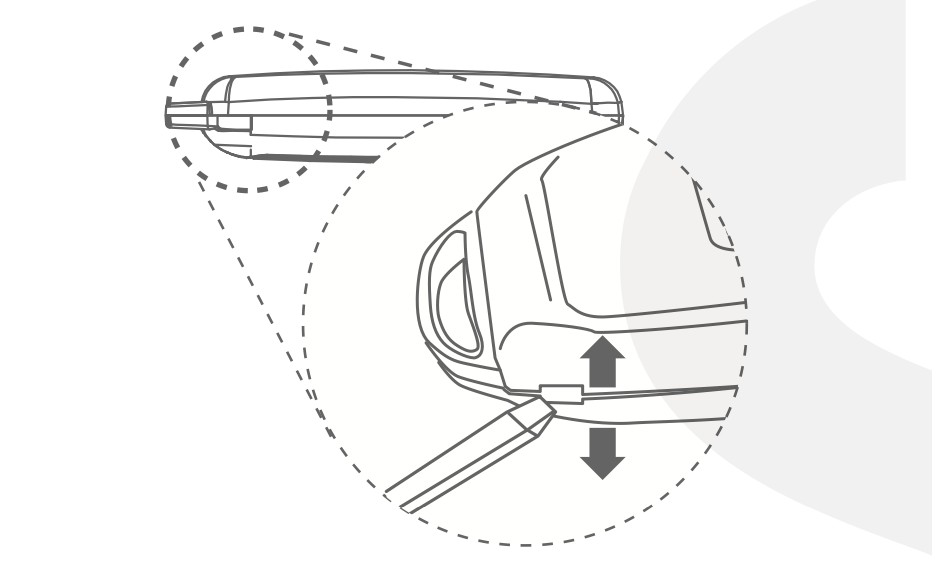
Screenshot 2025-01-06 at 16.29.38
Take out the mainboard from the housing.
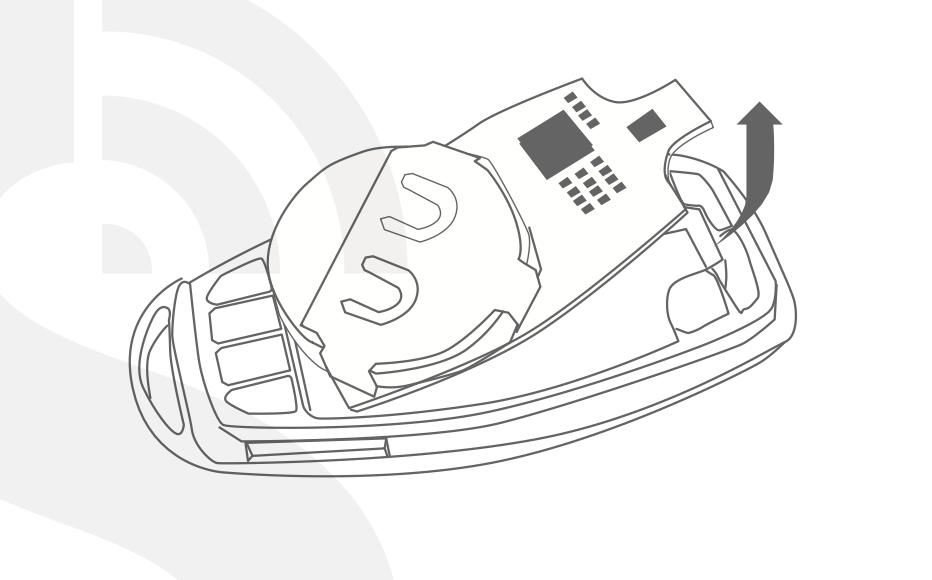
Screenshot 2025-01-06 at 16.29.44
Replace the old CR2032 battery with a new one.
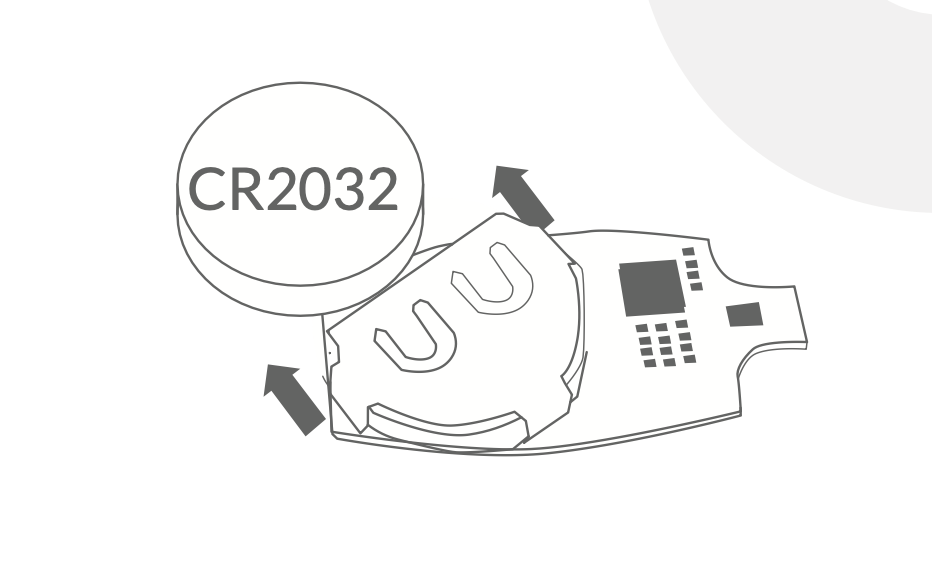
Screenshot 2025-01-06 at 16.29.49
Reinsert the mainboard and reinstall the cover.
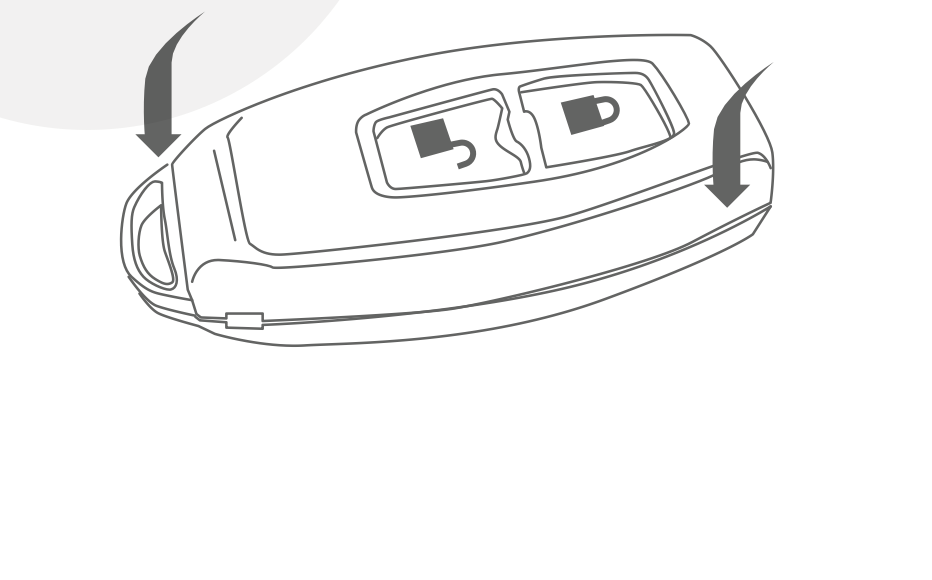
Screenshot 2025-01-06 at 16.32.04
6. Warranty and Support
Warranty:
60-day return policy.
Two years of free repair for defects in materials or workmanship.
Support:
Email: [email protected]
Visit: Simpled Support
7. Troubleshooting
Connection Issues:
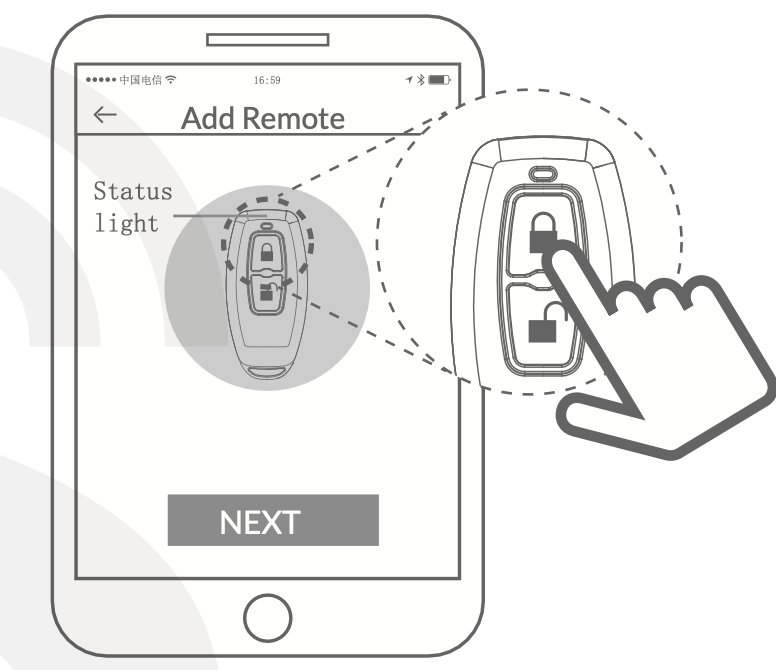
Ensure the remote is in pairing mode (status light flickers).
Confirm the remote is within range of the lock.
Replace the battery if the status light does not activate.
Low Power:
Replace the CR2032 battery if the status light flickers slowly during operation.